
Reporting Incorrect Program Data
Our program data is refreshed regularly from each program's official website, but things still slip through — programs occasionally update their site between our refreshes, or a field gets parsed wrong. If you spot something that looks off, tell us. It's the single best way to keep the data sharp for everyone.
Reports that turn out to be correct earn you 10 AI credits — usable with PrePA AI Chat or Essay Suggestions.
Where to report
From a program's detail page
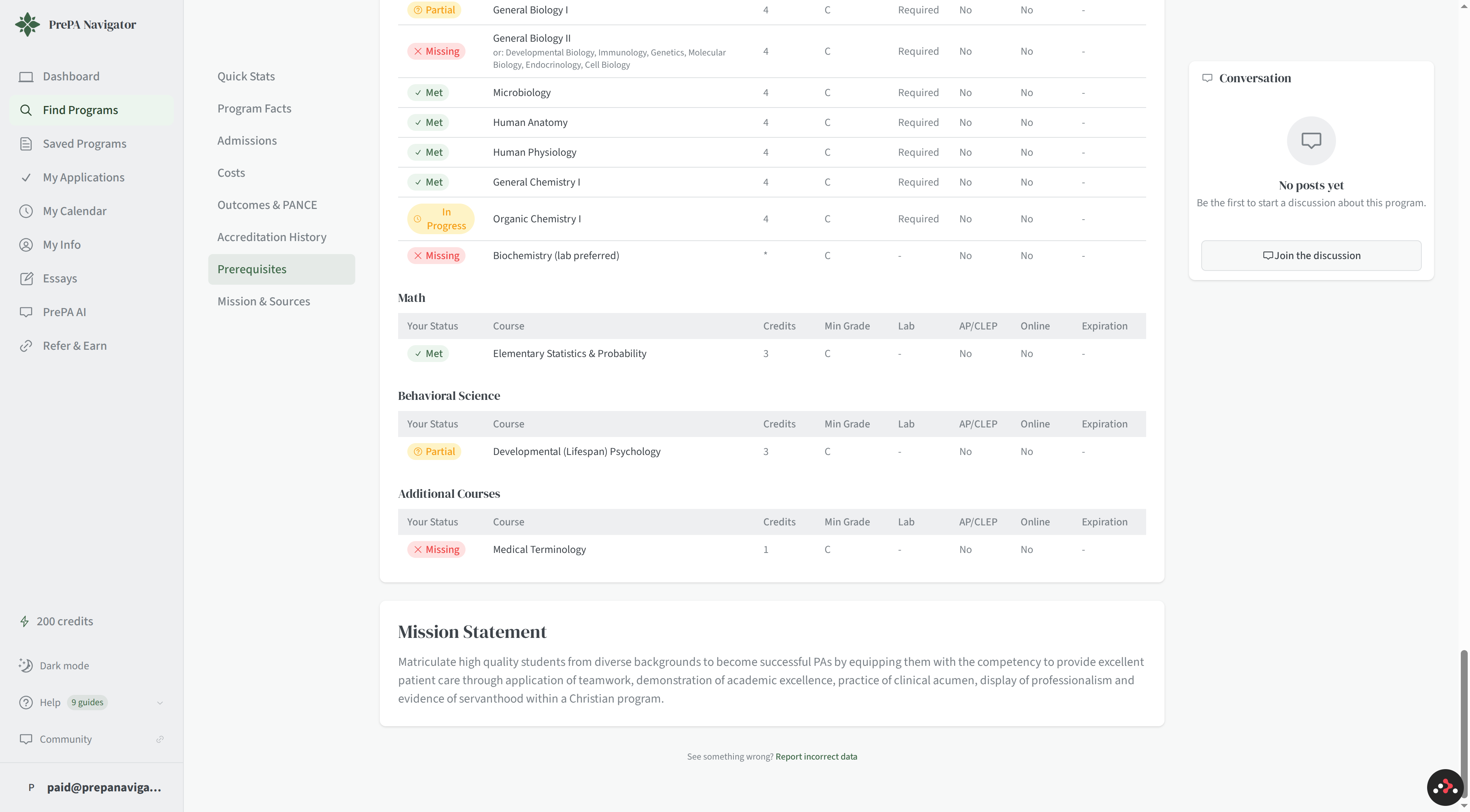
Every program detail page has a Report incorrect data link near the bottom of the Prerequisites / Mission section. Click it and the dialog opens pre-targeted to that program.
From a specific field
If you're hovering over a specific data point (GPA requirement, deadline, tuition figure) and notice it's wrong, use the contextual Report Issue button that appears — it pre-fills the report with the field you're looking at so you don't have to describe it twice.
Filling out the report
The dialog asks for:
| Field | What to put |
|---|---|
| What type of data is incorrect? | Choose from GPA Requirements, Experience Hours, Deadlines, Prerequisites, Tuition/Costs, or Other |
| What is incorrect? | Short description of the problem — what's wrong, ideally how you noticed |
| Correct value (optional) | What it should be, if you know |
| Source URL (optional) | Link to the program's page where you saw the correct info — this helps us verify quickly |
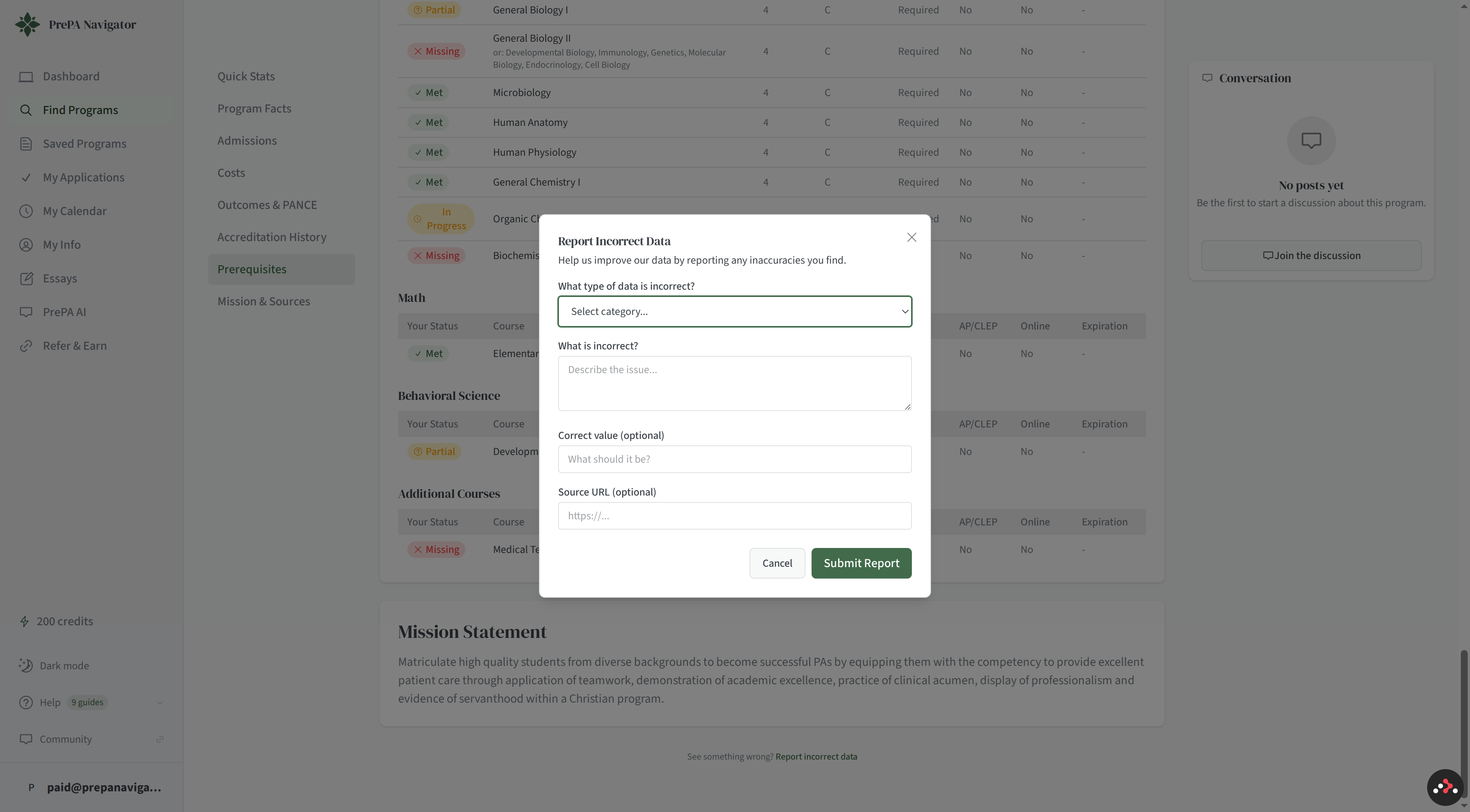
The source URL is the fastest way to get your report confirmed. If you paste the program's page that contradicts what we show, we can usually verify in a minute.
What happens next
- Your report goes into a review queue. Most reports are reviewed within 24 hours on weekdays.
- If the report is confirmed, we update the data and grant you 10 AI credits. You'll get an email when the issue is resolved.
- If the report is not confirmed (e.g. we checked and the data we have matches the source), you'll still get an email explaining what we found.
Track your reports
Go to Settings → Data Reports (or navigate to /settings/data-reports) to
see every report you've submitted, its current status, and whether it earned
credits.
Tips
- One issue per report — if a program has three fields that look wrong, file three separate reports. That lets us handle each one on its own timeline.
- Include the source URL whenever you can. Reports with a source resolve much faster than "this looks wrong to me."
- Check the program's own website before reporting — sometimes a field is hard to find but not actually wrong.